



This post may contain affiliate links that at no additional cost to you, we may earn a small commission. Read the Disclosure Policy for more information.
Last Updated on October 26, 2026 by Katie
I found my best-performing pin by typing “career change” into a search bar.
I’d been saving ideas to a Pinterest board called “career change ideas” for a while.
Whenever I needed a new article or pin, I did the same dull thing: typed the topic into Pinterest and looked at what appeared underneath.
“Career change after 40” was one of the suggestions, so I clicked it and read the pins that came up.
What were other bloggers and businesses calling theirs? That’s where I came across “midlife career change”.
That pin now sends me an average of 2,236 outbound clicks a month.
In the last 30 days, my whole account got 853K impressions and 15.58K outbound clicks. So one pin, built around one phrase, accounts for roughly one in seven of them.
Pinterest keyword research isn’t complicated. It’s a search bar, some curiosity, and the willingness to click the second suggestion instead of stopping at the first.
This guide walks through exactly how I do Pinterest keyword research, including the free tools I use to check a phrase is worth the effort.
If you’re brand new to the platform, start with my guide on how to get started with Pinterest and come back here.
Would you rather have someone else handle your Pinterest keyword research?
I offer Pinterest account audits that show you where your keywords are letting you down, and Pinterest management covering keyword research, pin design, strategy and monthly reporting.
Check my Hire Me page here for more details.
Why Pinterest Keyword Research Matters
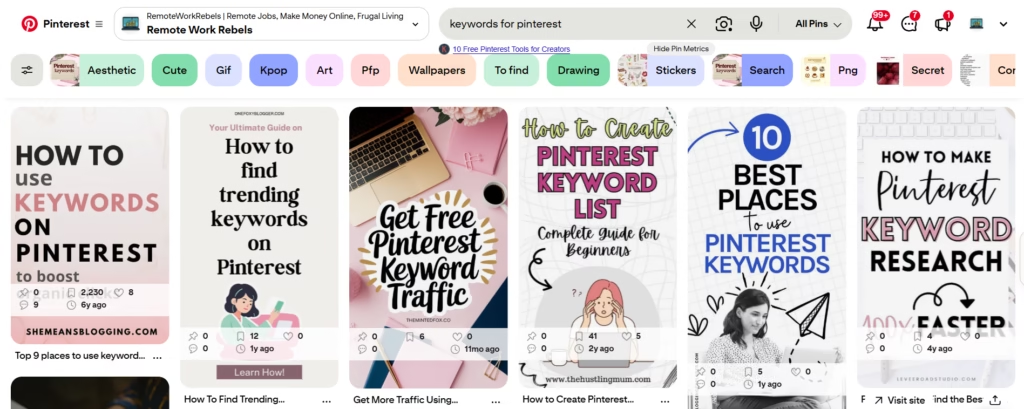
Pinterest isn’t really social media. It’s a search engine with pictures.
People type words into the search bar looking for ideas, and plenty of them go on to buy something.
A pin gets found because its words match what someone typed, and that’s true whether you’ve got 12 followers or 12,000.
So the words you choose decide who sees your content. Pick vague ones and a lovely pin sits in the dark.
Pick the phrase people actually search and it can keep sending visitors for years. I wrote about that in how a 4-year-old pin still sends me 1,100+ blog visits a month.
The same applies if you run a business.
Someone searching “freelance writer for hire” is closer to buying than someone browsing for inspiration, and the right phrase puts your page in front of them.
Step 1: Start With a Topic You Keep Coming Back To
I keep a board called “career change ideas”. It isn’t a strategy. It’s just where I put things I find interesting, and it turns out to be where my best keywords start.
You probably have your own version.
Look at the topics you write about repeatedly, the ones with several posts already, or the ones readers email you about. Pick two or three. These are your seed topics.
Keep them broad at this stage. “Career change” is a seed topic.
“Career change after 40 for teachers” is something you’ll find later, and the research is how you get there.
Step 2: Do Your Pinterest Keyword Research in the Search Bar
This part is free and takes about ten minutes.
Type One Word and Stop Before You Press Enter
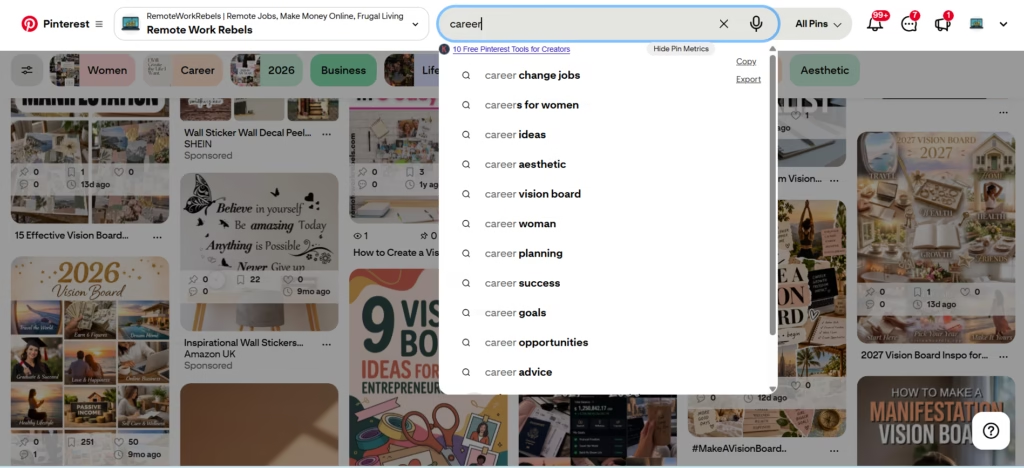
I typed “career” into the Pinterest search bar and got “career change jobs”, “careers for women”, “career ideas”, “career planning”, “career goals” and “career advice”, plus a few more.
Each of those is a different search, and each could be its own pin or its own blog post.
“Career change jobs” and “careers for women” would attract completely different readers.
Then press enter and look at the coloured bubbles along the top of the results. They narrow the topic down and hand you more specific phrases.
Pro tip: Screenshot the suggestions for each seed topic before you do anything else. They change, and you’ll want the originals when you start sorting.
Start Moving the Words Around
Once you’ve got a suggestion, treat it like a puzzle. Add a word, take one out, or change the order, and see what the search bar offers each time.
“Career change” gives you one set of suggestions.
“Career change after 40” gives you another. Swap the age for a stage of life and you land on “midlife career change”. Each version throws up phrases the others miss.
It feels a bit fiddly, and it is. But it’s part of how I found the phrase behind my best-performing pin.
Not every suggestion belongs to your audience, though.
Keep the ones that sound like a problem your reader needs solved, and copy them all into a note. You’ll sort them later.
Step 3: Click In and Read What Everyone Else Is Calling Their Pins
The search bar gives you a starting point. The pins underneath show which words people are actually using.
When I searched “career change after 40”, I read the text on each pin, then the titles and descriptions.
I also checked how many saves each pin had and how old it was.
I use the free version of a browser extension called Keywords Everywhere, which puts those numbers right on the pins. Pinterest doesn’t show them itself.
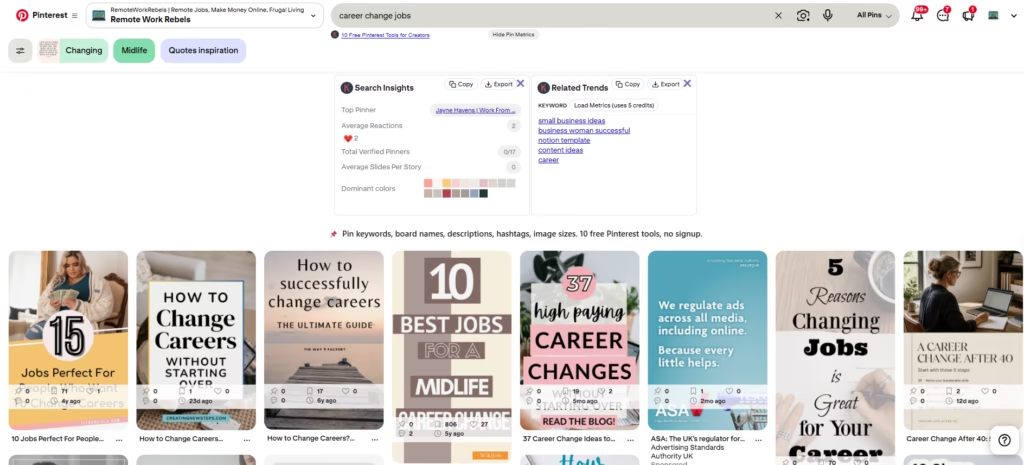
The age matters more than people expect. One pin had 221 saves, which sounds impressive until you notice it’s seven years old.
Another had 150 saves after four years. A third had one save after two weeks. None of those numbers means much until you read it next to the date.
Ignore sponsored pins, since they’re paid to be there. And borrow the wording, not the design.
Pro tip: Open the top five or six pins for a phrase and note any wording that appears more than once. Check each pin’s age before deciding it’s popular.
Step 4: Check Pinterest Trends Once a Month
The search bar shows you what people are searching for. Pinterest Trends shows you what’s starting to take off, and I check it about once a month.
I’m not looking for confirmation of keywords I’ve already chosen.
I’m hunting for ones I haven’t found yet, something I could use in a pin title or build a blog post around. It’s free, and you’ll find it in the sidebar of your Pinterest Analytics page.
Here’s an example. I spotted “how to create a vision board for success” in Trends, a phrase I wouldn’t have come across in my usual searches.
It has nothing to do with remote work on its face, but I thought I could build an article around it and angle it towards career success.
You don’t have to use a trend exactly as it’s worded. Look for the angle that makes it relevant to your readers.
Trends also helps with timing. If a phrase is seasonal, you can see roughly when it starts to climb and publish before it does.
Pins take a while to get picked up, so being early works better than being on time. For more on timing, see my guide to the best time to post on Pinterest.
One caveat: Trends show relative interest, not a headcount.
A rising line tells you demand is growing, not how many people are typing the phrase. I treat it as a nudge, not proof.
Pro tip: You don’t need a trend to match your niche exactly. Ask whether there’s an angle that does.
Struggling to find keywords that actually get clicks?
I offer Pinterest account audits that show you the mistakes you may be making, and Pinterest management covering keyword optimisation, pin design, strategy and monthly reporting.
Check my Hire Me page here for more details.
Step 5: Check Google Before You Write the Blog Post
Pinterest tells you what people search for on Pinterest.
It doesn’t tell you whether anyone is searching for the same thing on Google, and your blog post has to work in both places.
I use two free tools for this.
Keywords Everywhere
The same extension does a second job on Google.
I search a phrase like “career success” and two boxes appear beside the results, Related Keywords and Long-Tail Keywords.
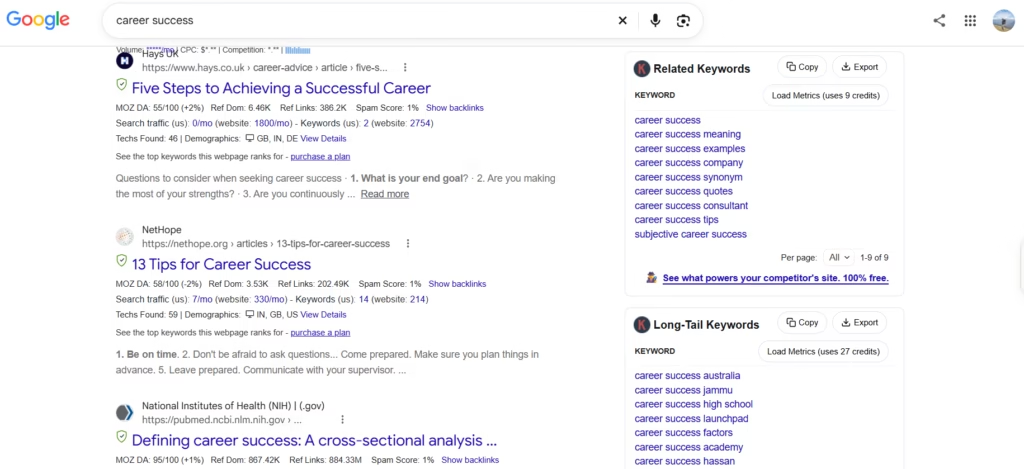
You get the phrases straight away, with Copy and Export buttons if you want to save them.
For “career success”, the related box gave me “career success meaning”, “career success examples”, “career success tips” and “career success quotes”.
The long-tail box gave me “career success launchpad”, “career success high school” and some place names.
I use the free version. The search numbers cost credits, which I skip, and I ignore the prompts to buy plans.
Ubersuggest
Ubersuggest is my second opinion.
It has a free plan that limits how many searches you can run in a day, so plan them before you start. I use it mostly when I’m choosing the keyword for a new blog post.
Neither tool is perfect. The numbers are estimates, and paid tools generally have better data.
I treat them as a rough guide, and I remember that Google and Pinterest are different audiences: a phrase that’s quiet on one can be busy on the other.
Pro tip: Write down the three phrases you most want to check before you open either tool. When your free searches run out, you’ll have spent them on the ones that matter.
Step 6: Sort What You’ve Found
By now you’ll have a long, messy list. Most of it is useless, and the job is separating that from the few phrases worth building something around.
Take the “career success” search. “Career success tips” and “career success examples” describe something my readers might want.
“Career success jammu” is a place, and “career success high school” is the wrong audience entirely.
Keep the phrases that sound like a problem your reader needs solved. Drop anything that points to a place, a different audience, or something you can’t help with.
Then favour specific over broad. “Career success” is crowded.
A longer phrase like “career success tips for women over 40” is a smaller pond, and your pin has a better chance of being seen in it.
I keep a spreadsheet of the keywords I use for blog posts. When a phrase is worth using, it goes in there, so I’m never starting from scratch when I sit down to write.
Step 7: Use One Main Keyword Plus a Few Variations
This is where the research pays off. The rule is the same for pins and blog posts: one main keyword, plus a few variations.
For Pin Titles
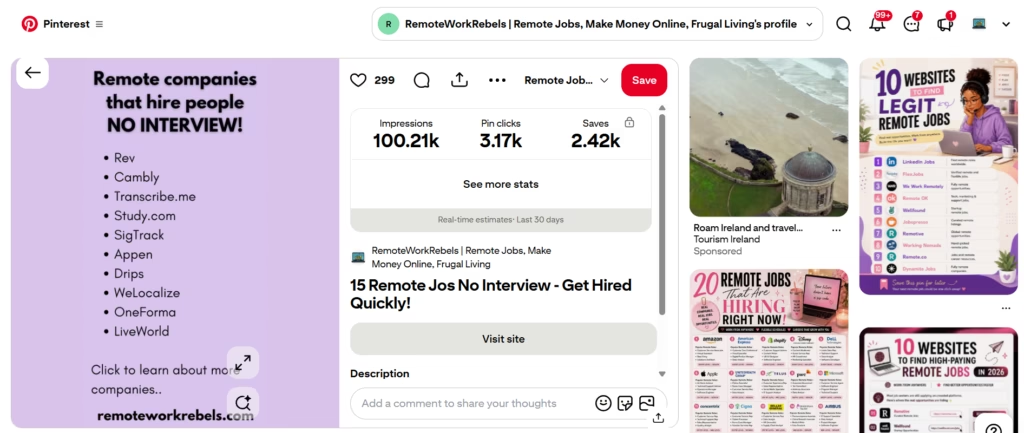
The main keyword goes in the title, every time. And if the post suits it, add a number too.
People like numbers, and “7 ideas” tells them exactly what they’re getting.
Vague: “Ready for Something New? Here’s Where to Start”
Clear: “7 Realistic Midlife Career Change Ideas to Try After 40”
The first could be about anything. The second contains the exact phrase someone typed, a number, and a reason to click.
Only use a number if the post really has that many items, because readers notice.
For Pin Descriptions
Put your main keyword near the start of the description, then work in two or three variations naturally.
These are the phrases you found in the Pinterest search bar, Keywords Everywhere or Ubersuggest.
For “midlife career change”, my variations would be “career change after 40”, “career change jobs” and “career change ideas”.
Too stuffed: “Midlife career change, career change after 40, career change jobs, career change ideas, career change.”
Better: “Thinking about a midlife career change? If you’re looking at a career change after 40, this guide covers realistic career change jobs and ideas to get you started.”
The second version tells a person what they’ll get, and it still carries four phrases.
For Blog Posts
Same idea, bigger scale. Choose one main keyword for the post, then spread a handful of long-tail phrases through your headings, intro and body.
Those are the phrases from the Related and Long-Tail boxes in Step 5.
Pro tip: Take your variations from your research; don’t guess. If a phrase didn’t show up in the search bar, Keywords Everywhere or Ubersuggest, it’s probably not worth using.
Common Keyword Mistakes (And What to Expect)

Pinterest keyword research improves your odds. It doesn’t guarantee anything, and I’d be lying if I said otherwise.
Expecting every keyword to take off. It won’t. You can pick a phrase that looks perfect, make a decent pin, and watch it sit there.
That doesn’t mean the research was wrong. Some phrases just don’t catch on, and you only find out by trying them. Treat each keyword as an experiment, not a promise.
Getting the words right and the image wrong. A pin can have a strong title and a good description and still get no clicks because the image is weak.
Pinterest is visual, and people decide in about a second. If the picture is cluttered or hard to read at thumbnail size, the best keyword in the world won’t save it.
If a pin underperforms, look at the image before you blame the keyword.
Giving up after one attempt. Sometimes the fifth or tenth variation of a pin is the one that takes off. Same keyword, same post, but a different image, headline or angle.
Make several pins for each keyword and keep the ones that work.
Pro tip: When a pin flops, change one thing at a time, the image or the headline, not both. Otherwise you won’t know what made the difference.
Pinterest Keyword Research: Your Next Steps
You don’t need to do all of this in one sitting. Start with the search bar and go from there.
Pick one topic you write about and type it into Pinterest without pressing enter.
Copy the suggestions, then shuffle the words around and see what else appears. Click into a promising phrase and read what other pins are using, checking how old each one is.
Once a month, spend ten minutes in Pinterest Trends looking for phrases you haven’t found yet. Before you write a blog post, check the keyword on Google.
Then choose one main keyword per pin, put it in the title, add a number if the post suits it, and work two or three variations into the description.
Make several versions, because the one that takes off is sometimes the fifth or the tenth.
It’s a slow burn, and not every keyword will work. But one pin with the right phrase now sends me around 2,236 clicks a month, and it started with a search bar and a bit of curiosity.
Want a hand with your Pinterest keywords?
I offer Pinterest account audits and Pinterest management, including keyword research, pin design and monthly reporting.
Check my Hire Me page here for more details.