

This post may contain affiliate links that at no additional cost to you, we may earn a small commission. Read the Disclosure Policy for more information.
Last Updated on February 6, 2026 by Katie
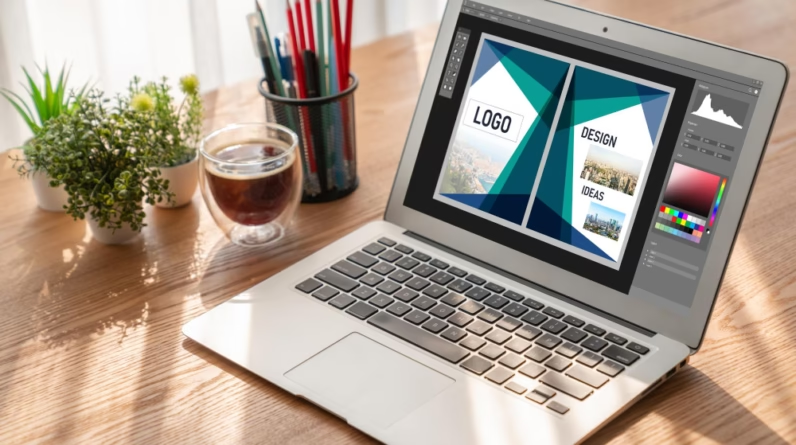
A freelance website designer turns a messy idea into a site that looks good, works on phones, loads fast, and guides visitors to take action (call, book, buy, or subscribe).
That mix of design and problem-solving is why this work keeps showing up as a solid side hustle and a real career path.
Demand isn’t slowing down. Around 92 million new websites are created each year, roughly 252,000 per day, which is why new designers can still find opportunity in the market.
This guide shows how to start a freelance website design business without getting stuck in endless prep.
Let’s dive in!
Featured Career Opportunities!
* Get Paid to do Voiceovers from Home – FREE Mini-course Intro to Voiceovers.
* Work at Home as a Transcriptionist – Learn Transcription Skills with Transcribe Anywhere and Open Doors to New Remote Jobs.
* Start Your Own Thriving Proofreading Business – Learn how to get started in this FREE proofreading workshop.
* How to Start a Bookkeeping Business from Home – Free training series from the team at Bookkeepers.com.
Related reading:
- 17 easy freelance jobs for beginners
- Top 13 in-demand freelance skills to make money with this year
- How to become a freelance writer with no experience
- How to become a social media manager with no experience
- 11 fun ways to make money editing videos
What Does a Freelance Website Designer Do?

Most days aren’t spent “making things pretty.” You’re solving small business problems with pages, layout, and clear messaging.
A typical project starts with discovery: what the business sells, who it’s for, and what “success” means (more calls, more bookings, more email sign-ups).
Then you move into structure and layout, picking the right pages, writing a clean navigation, and setting a simple visual style (colours, fonts, spacing).
After that comes building: creating pages, adding forms, checking mobile layouts, and tightening speed.
You’ll also handle basics that beginners sometimes forget: simple on-page SEO (titles, headings, meta descriptions), accessibility basics (contrast, readable fonts, alt text), and pre-launch checks (broken links, form tests, and backups).
Finally, you launch and hand off login details, docs, and “what to do next” guidance.
Common deliverables include:
- 5-page brochure site (Home, About, Services, FAQ, Contact)
- Basic on-page SEO setup (titles, headings, index settings)
- Contact form (plus spam protection)
- Blog setup (categories, a starter post format)
- Simple analytics setup (traffic tracking and goal events)
Early on, packaged offers beat “I can do anything.”
Try a menu that’s easy to explain and easy to deliver:
- Quick-start one-page site (one goal, one clear call to action)
- 5-page small business site (brochure style, built to convert)
- WordPress blog setup (theme, essential pages, categories, basics)
- Landing page refresh (layout and copy structure cleanup)
- Speed and mobile fixes (image compression, layout bugs, Core Web Vitals basics)
- Basic SEO cleanup (titles, headings, internal links, index settings)
- Monthly updates plan (small edits, plugin updates, backups)
Add-on help can keep income moving while skills improve.
Light copy edits, content uploads, and simple formatting are often valuable to clients, as long as the offer is crystal clear so nobody assumes “unlimited” support.
How Much Do Freelance Website Designers Earn?
For new freelancers, $750 to $2,500 is a common range for a basic project, and beginners often price around $20 to $35 per hour while they build speed and confidence.
With steady work, $4,000 to $6,000 per month becomes realistic when 2 to 3 projects land consistently.
If you want a broader pay snapshot, Glassdoor’s freelance web designer estimates land around the mid-five figures annually in the US, with a wide range depending on experience and client type (see Glassdoor’s freelance web designer pay trends).
What changes the price?
- Page count and complexity (one page vs. 12 pages is a different job)
- E-commerce (products, shipping, taxes, payments, legal pages)
- Copywriting and photos (client-provided vs. you creating assets)
- Timeline (rush work costs more)
- Revisions (clear limits protect your time)
- Integrations (email marketing, booking tools, CRM)
Two simple package examples:
Package A: Starter one-page launch (around $750 to $1,200)
Includes one-page layout, mobile optimisation, contact form, basic SEO titles, and a short handoff guide.
Package B: Small business 5-page site (around $1,500 to $2,500)
Includes 5 core pages, blog setup, basic on-page SEO, simple analytics, two revision rounds, and launch support.
No price is a guarantee. Your job is to quote based on scope, time, and the client’s goal.
What Skills Are Needed to Start a Freelance Website Design Business?
You don’t need to be a developer to do good work.
Plenty of designers build great sites using no-code tools, templates, and a consistent process. What matters most is taste, clarity, and follow-through.
Core skills to build first:
- Layout fundamentals: spacing, alignment, hierarchy
- Colour and type basics: readable fonts, simple palettes, consistent styles
- Mobile-first thinking: thumb-friendly buttons, clean stacking, fast loads
- Basic UX: fewer distractions, clear next steps, scannable sections
- Simple HTML/CSS literacy: enough to fix small issues and understand structure
- Communication: leading calls, setting expectations, explaining tradeoffs
- Project planning: scope, milestones, feedback deadlines
A fast way to stay sane is to separate skills into “must-have” and “nice-to-have.”
Must-have skills:
- Eye for design
- Basic technical knowledge
- Clear writing and client communication
- Basic SEO and accessibility awareness
Nice-to-have skills:
- Copywriting, photography direction, brand strategy
- Advanced animations, custom code, complex integrations
If you want free places to learn, these are strong starting points: freeCodeCamp, W3Schools, Codecademy, Coursera, and Webflow University.
Many designers are self-taught. Consistency beats fancy tools when you start a freelance website design business.
Pick a main build platform, then stick with it
Pick one primary platform for at least 90 days.
Focus prevents burnout because every project improves your speed instead of resetting your learning curve.
Self-hosted WordPress is a strong long-term choice for bloggers and many small businesses because it’s flexible and widely supported.
Webflow is also a solid visual tool when you want tight control over layout and interactions. Choose what fits your target client, not what looks coolest on social media.
No-code AI website design options worth trying in 2026 (with links)
AI builders can help with fast drafts, starter layouts, and rough copy.
The human part still matters most: brand clarity, final editing, accessibility, and trust-building details.
Options to try:
- Wix (best for quick drag-and-drop sites)
- Framer (best for modern, design-forward pages)
- Webflow (best for pro visual builds and control)
- Squarespace (best for clean small business sites)
- Hostinger (best for budget-friendly site building and hosting bundles)
- Lovable (best for fast AI-assisted prototypes and experiments)
How to Start a Freelance Website Design Business

These steps help you start a freelance website design business without overthinking it.
The goal is simple: build proof, package an offer, get in front of buyers, and close one project.
1. Build a simple portfolio site that proves the basics
Your portfolio doesn’t need awards. It needs clarity.
Include these pages: Home, Services, Portfolio, About, Contact. Keep the design clean, and make it obvious what problem you solve.
No past clients yet? Build 2 to 3 sample sites, like:
- A local plumber (service area, quote form, before/after gallery)
- A fitness coach (program pages, booking link, testimonials)
- An Etsy-style shop (product layout, policies, email capture)
For each sample case study, show:
- Goal (what the site is meant to do)
- Problems (what was confusing or missing before)
- Before/after screenshots (even if “before” is a rough draft)
- Results (only if real, like faster load time or more form fills)
If leads are quiet, use that time to build more samples. It keeps your skills warm and gives future clients something real to react to.
2. Decide who the service is for and what problem gets solved
Selling “web design” is hard. Selling “a site that gets you more calls” is easier.
Pick 1 to 2 audiences to start, so your samples and messaging match.
Beginner-friendly niches include:
- Local service businesses (HVAC, cleaning, landscaping)
- Coaches and consultants
- Photographers and creatives
- Small e-commerce with a limited catalogue
Clear positioning helps people self-select. It also makes referrals more likely because your work has a theme.
3. Create a starter offer with a clear scope and a clear timeline
Your first offer should be tight enough to deliver quickly, and strict enough to protect your time.
A simple scope checklist can include:
- Number of pages
- One primary goal (call, book, buy)
- Mobile optimization
- Basic SEO titles and headings
- One contact form
- Revision limits (example: two rounds)
State what the client must provide (logo, photos, copy, logins) and what happens when extra work appears.
A single line like “add-ons are billed at X rate” helps avoid surprise bills and awkward conversations later.
4. Set pricing, payment rules, and basic policies before taking calls
Pricing is easier when your payment rules are set in advance.
Common payment setups include:
- 50% upfront, 50% before launch
- Or milestone payments for bigger projects
Set simple boundaries for refunds and pauses. Also, expect pricing to change by project because the scope and timelines vary.
That’s normal, and it protects both sides.
If you want more context on how other beginners build income quickly with service work, this list of fast-start side hustles can help you think in practical offers instead of vague goals.
5. Use a basic contract and a simple onboarding checklist
A contract doesn’t need to be scary. It needs to be clear.
A basic contract should cover:
- Deliverables and what’s out of scope
- Timeline and feedback deadlines
- Payment terms and late fees
- Ownership (who owns the design and when)
- Revision limits
- Launch details and post-launch support
Use an onboarding checklist so you don’t chase assets for weeks:
- Brand colours, logo files, fonts (if any)
- Final copy for each page
- Photos and image permissions
- Domain and hosting logins
- Third-party tools (email list, booking, payments)
If you’re unsure about legal details, get local legal help. That small cost can prevent big problems.
6. Promote in places that already have buyers
Clients won’t magically find you at the start. You have to show up where business owners already ask for help.
Good starting channels:
- Fiverr and Upwork
- Facebook niche groups and local business groups
- Referrals from friends and past coworkers
- Craigslist or community boards (where it fits your area)
A simple outreach message structure:
- A real compliment (something specific)
- One quick fix idea (mobile issue, unclear headline, slow load)
- A small offer (audit, landing page refresh, quick-start site)
- A next step (15-minute call or a short email reply)
Marketplaces can help you get early reps, but fees can take a big bite.
Use them as a short-term bridge, then move toward direct clients.
7. Land the first client, then turn that one project into repeat work
Early momentum often starts with questions.
A question becomes an estimate, and an estimate becomes paid work when the next step is obvious.
Respond fast, keep your process simple, and always end with a clear action: “If you want to move forward, I’ll send an invoice for the deposit and an onboarding checklist today.”
After launch, ask for:
- A short testimonial
- A referral from a business owner friend
- Permission to use screenshots in your portfolio
Then offer a care plan for a steady monthly income: updates, backups, small edits, and basic monitoring. That’s how one project turns into ongoing work.
Don’t give up too early. When work is slow, build another sample site and keep promoting.
If you want bigger-picture motivation, this roundup of six-figure business ideas shows how simple service offers can scale when follow-up is consistent.
Final Thoughts on How to Start a Freelance Website Design Business
To get started, focus on the basics: learn layout and mobile design, pick one platform, and build 2 to 3 sample sites that look like real businesses.
Package a tight offer with a clear scope, set your pricing and policies before you take calls, and promote every week in places where owners already hang out.
The demand signal is real, with millions of new sites created each year, and beginner pricing often sits around $750 to $2,500 per simple project.
With steady outreach and fast delivery speed, earning a full-time income can become realistic over time.